This is the current install of SpeedCast. You will need the dongle to generate Dashboards, but you can use this program to collect tap-test data. Use the link provided to access the download page www.taptest.co/downloads:
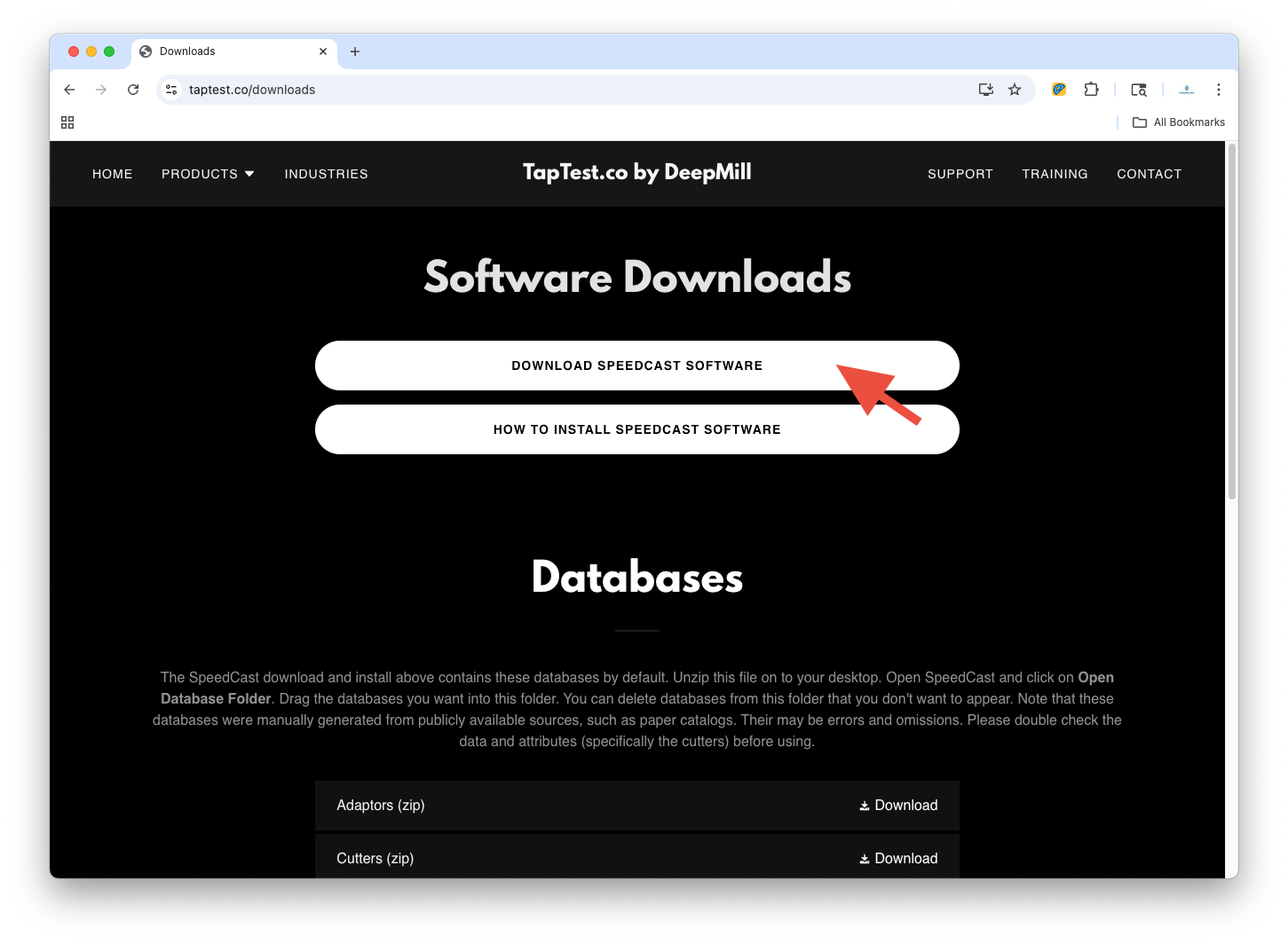
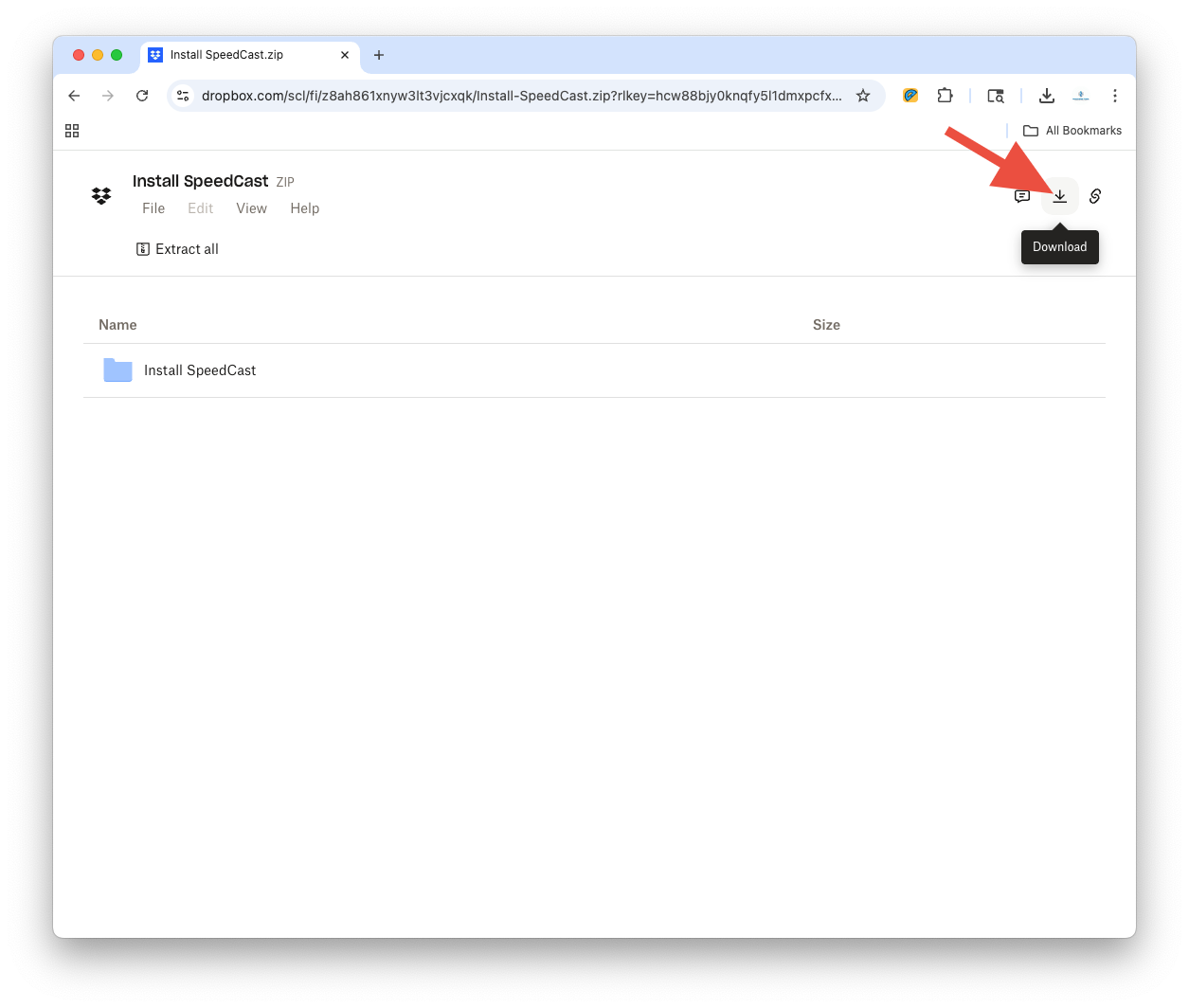
Click on the Download icon and download the zip file to your desktop.
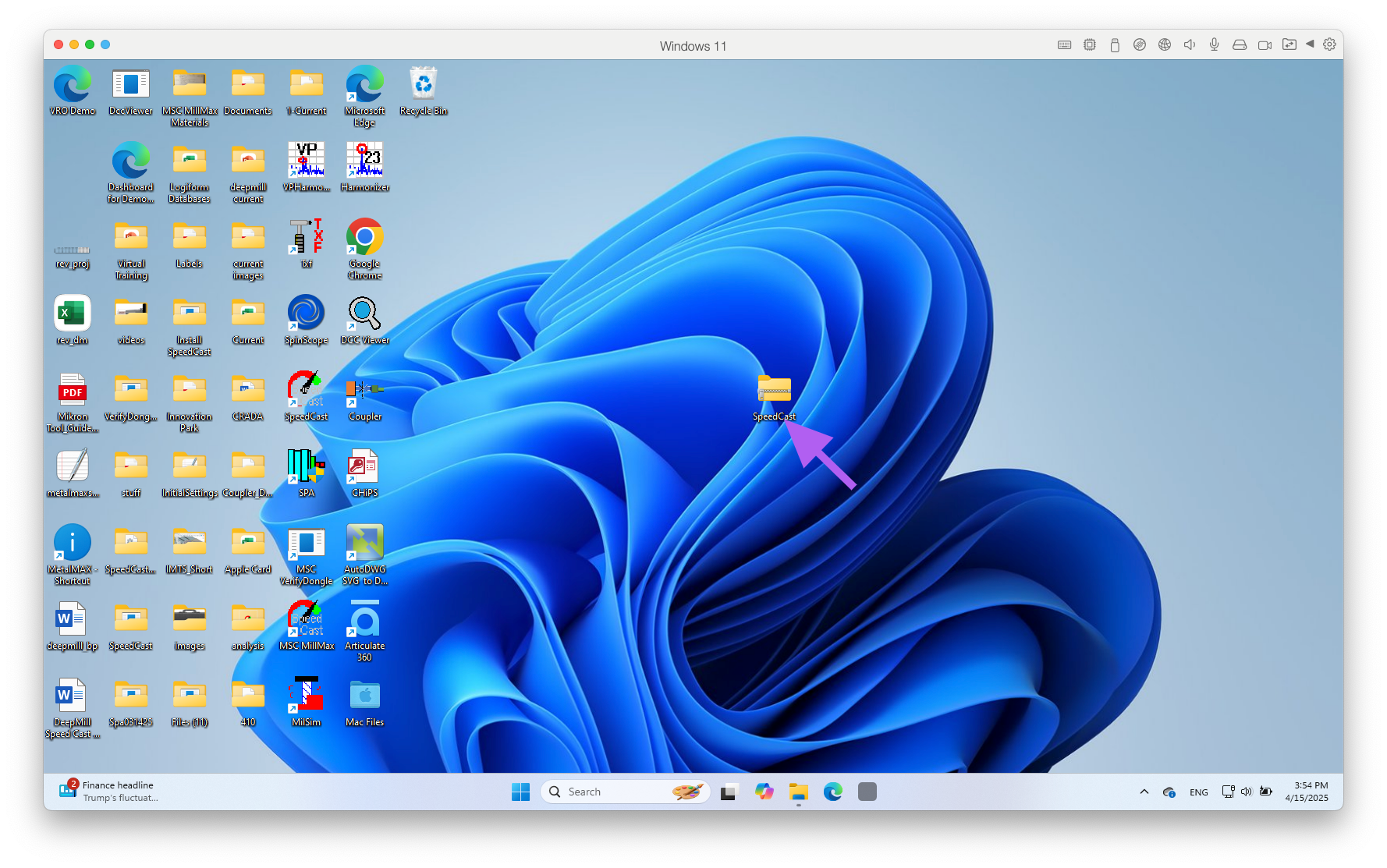
STEP 1 : Click on SpeedCast install zip file.
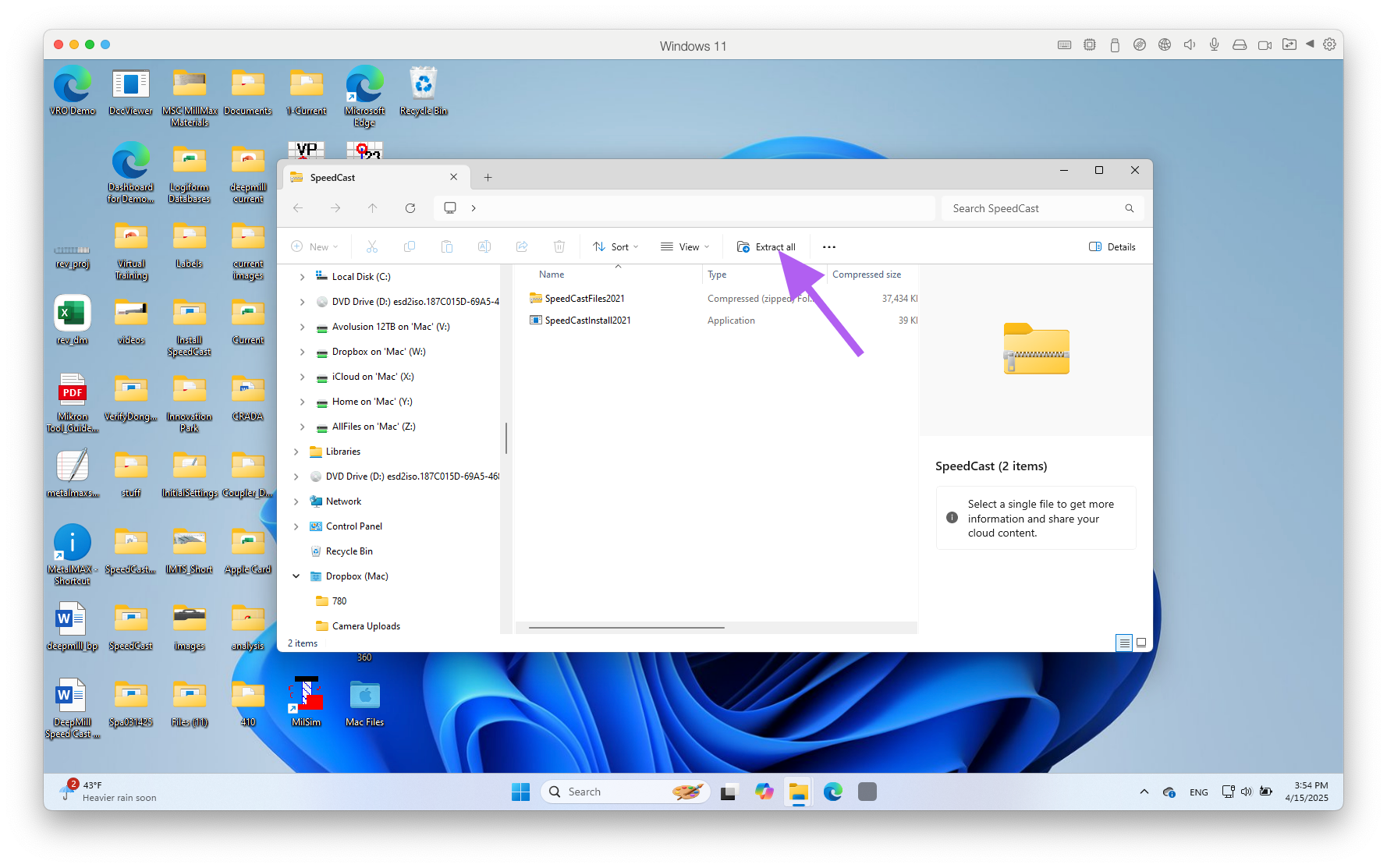
STEP 2: Click on "Extract All"
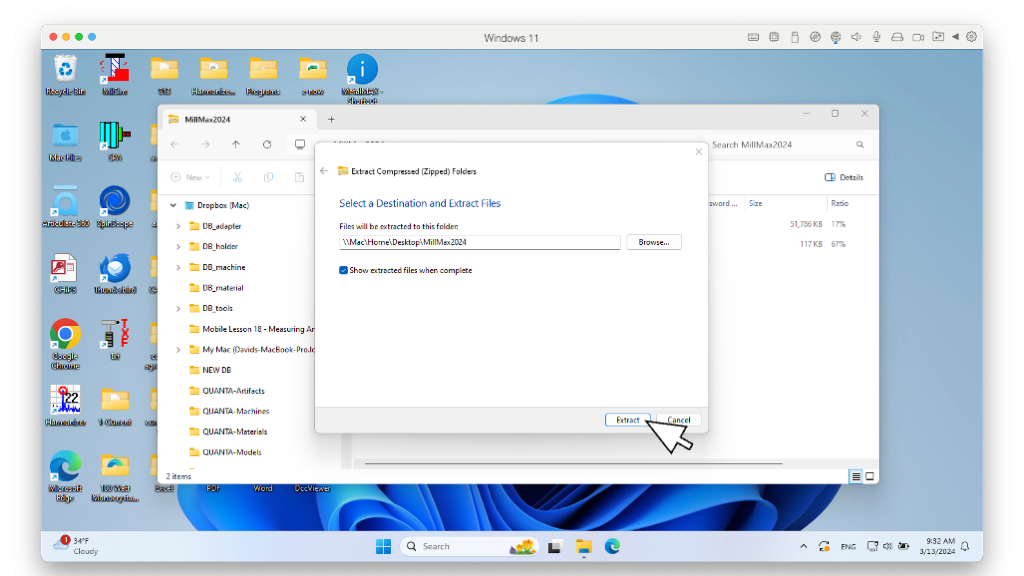
STEP 3: Use default destination. Click "Extract" button
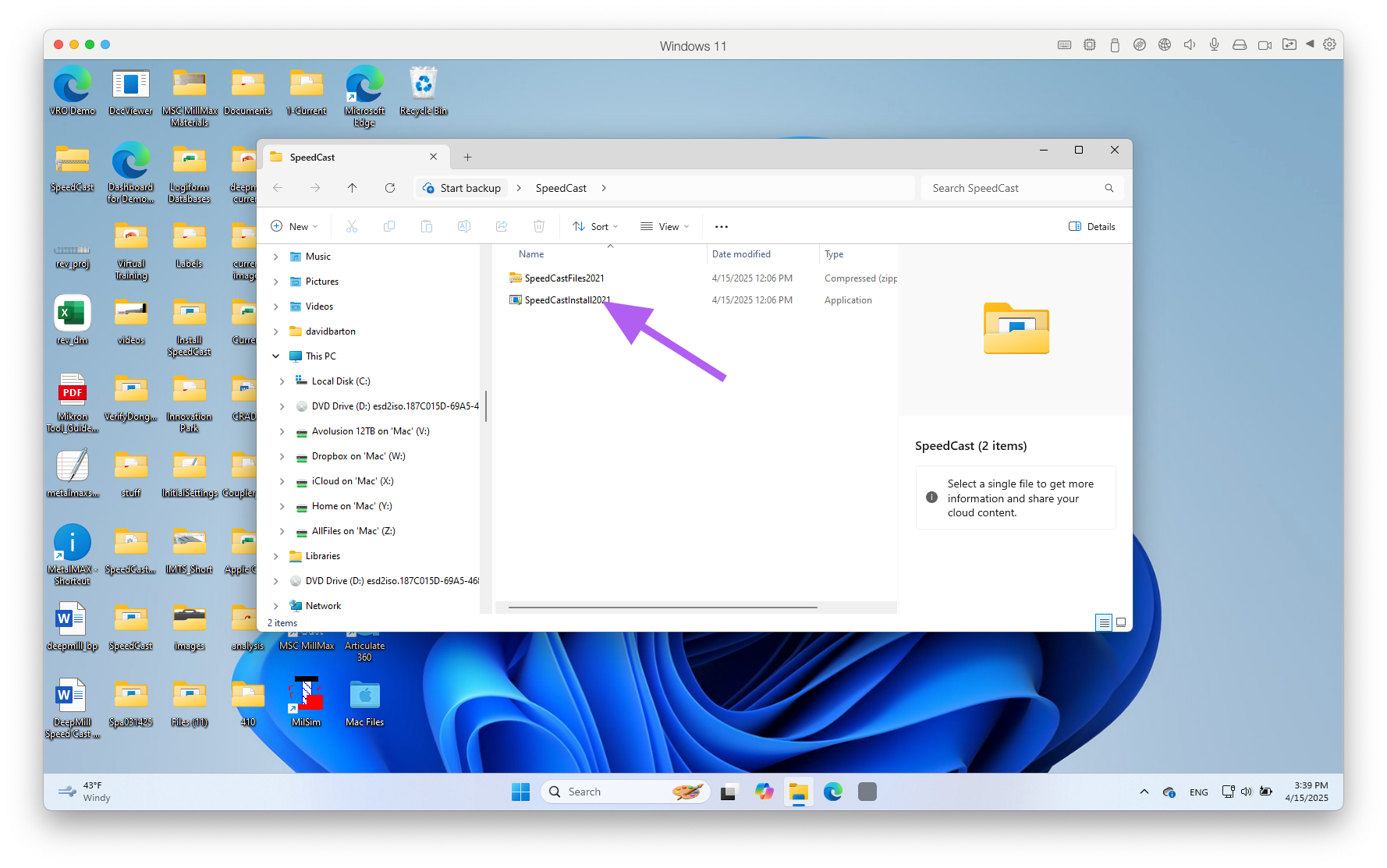
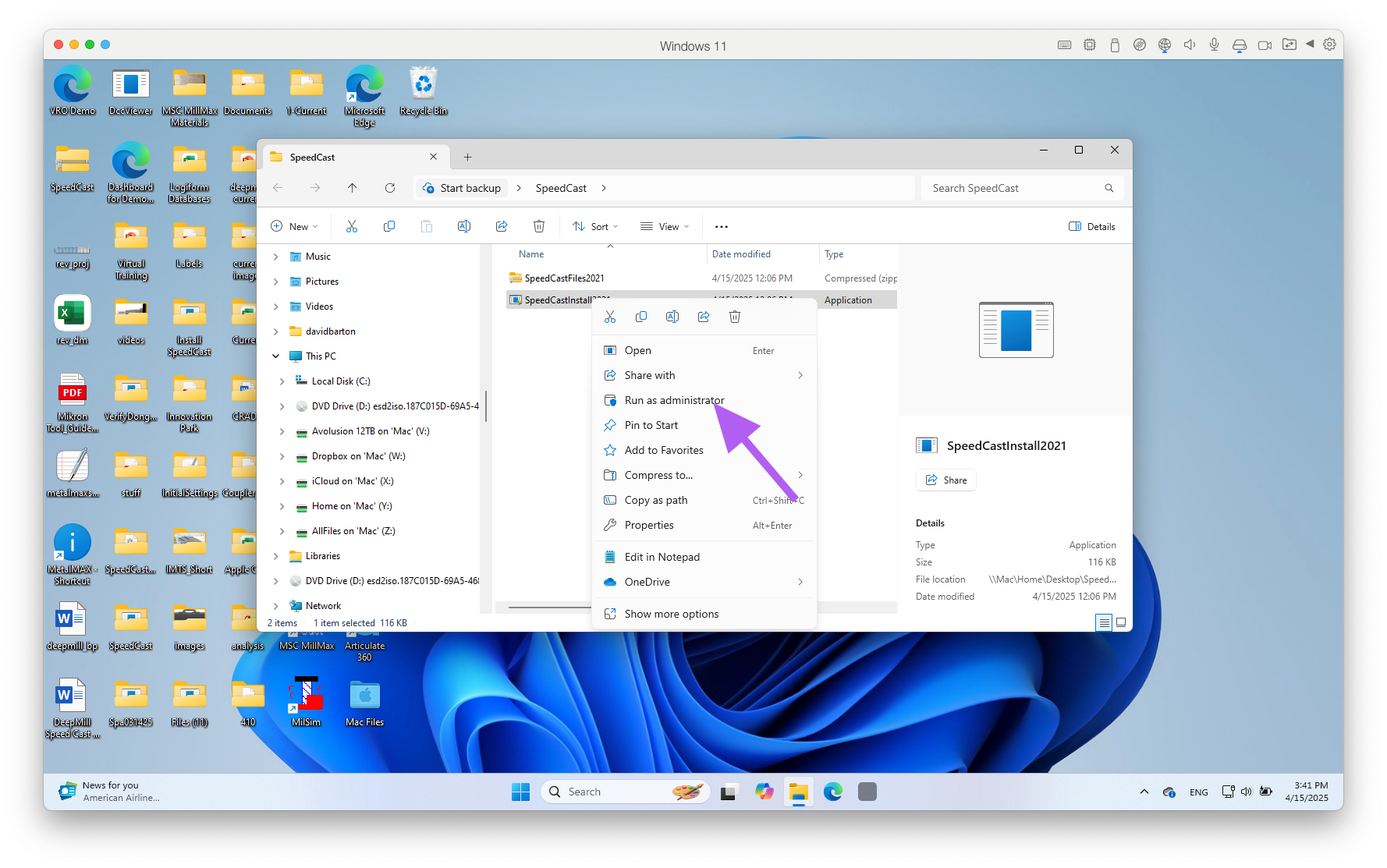
STEP 4: Right click on "SpeedCast Install 201*.exe". Click on "Run as Administrator" Do not unzip the SpeedCast Files!
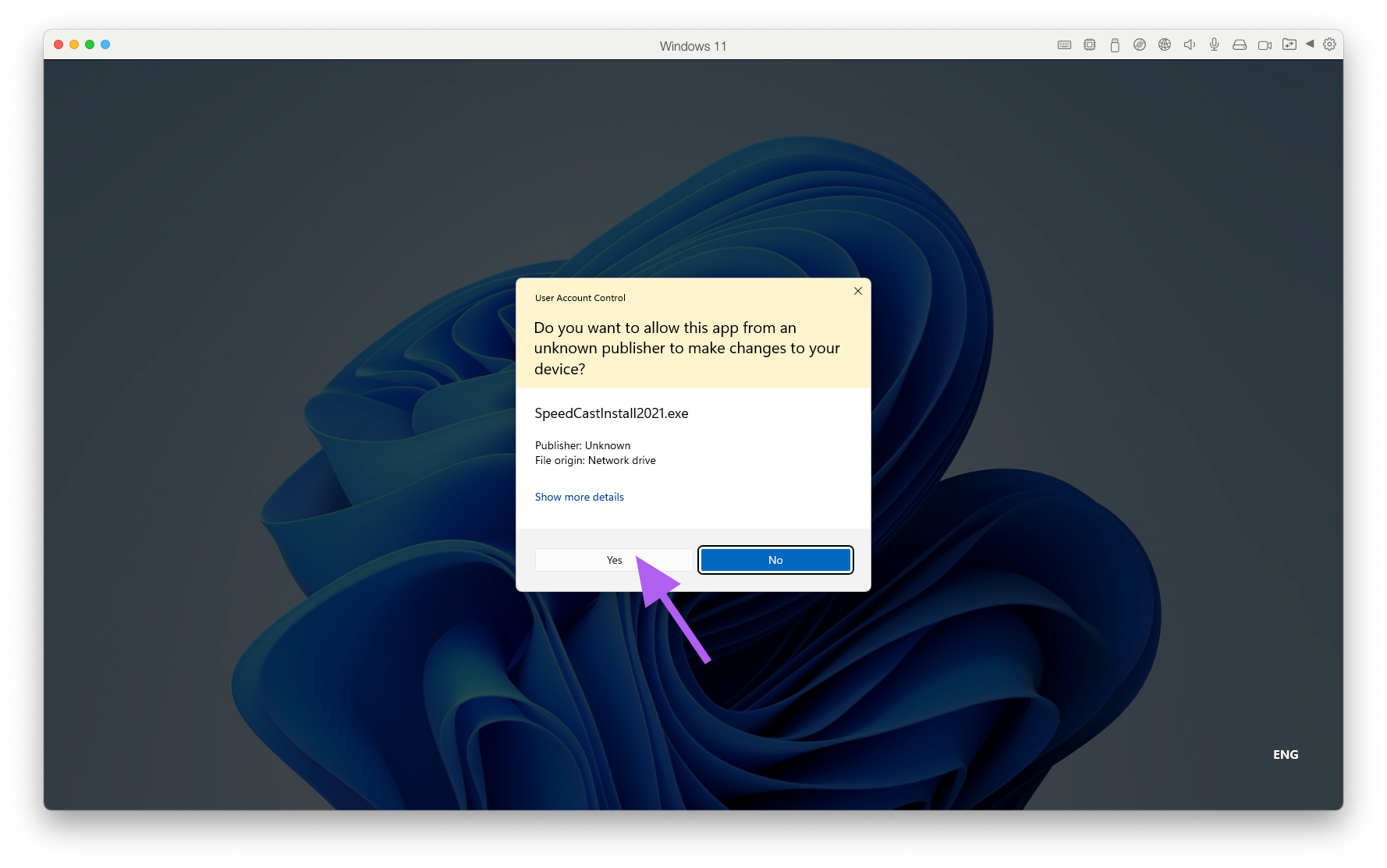
STEP 5: If warning appears click "Yes".
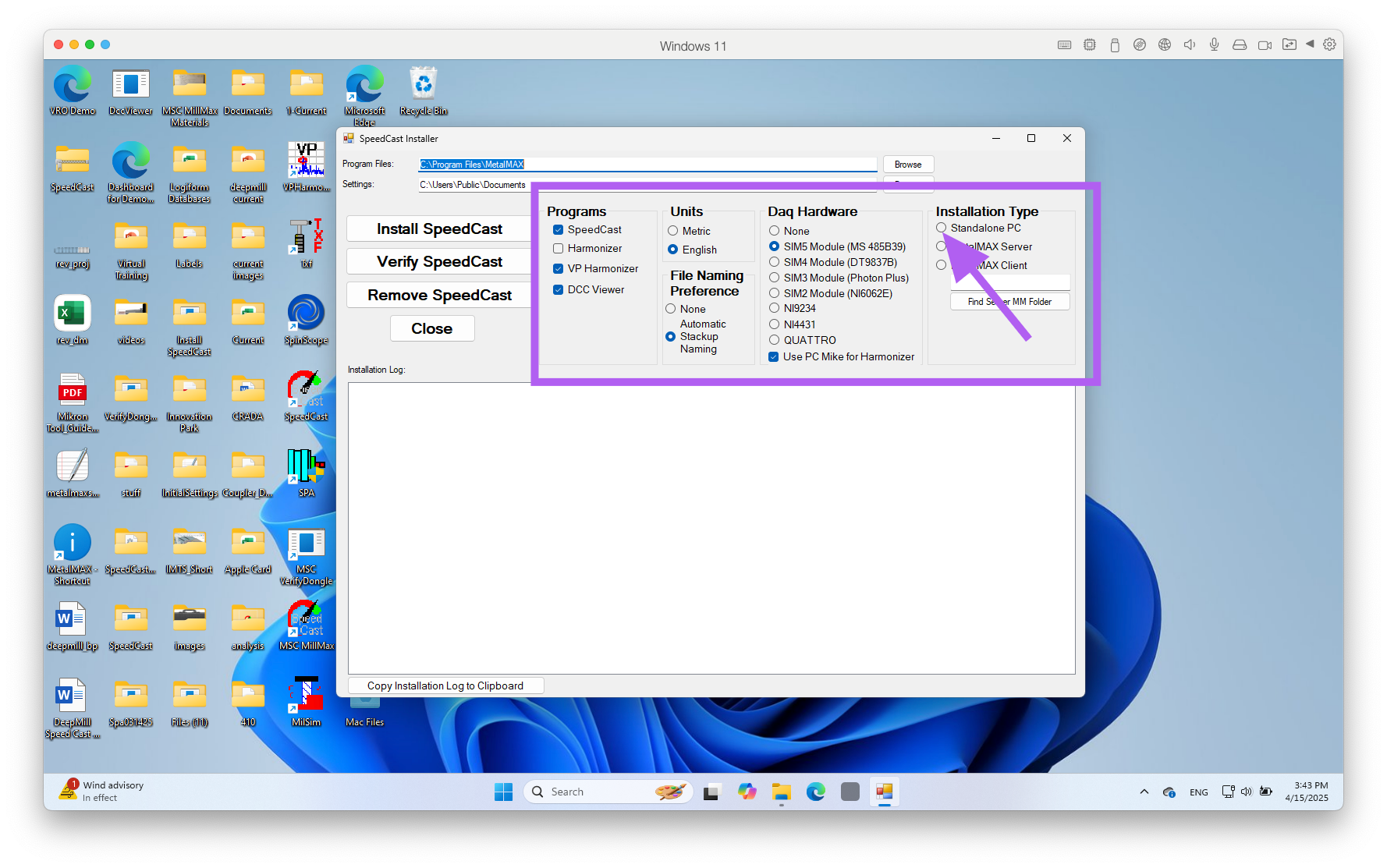
STEP 6: Check that these are the default settings. Click the Standalone PC.
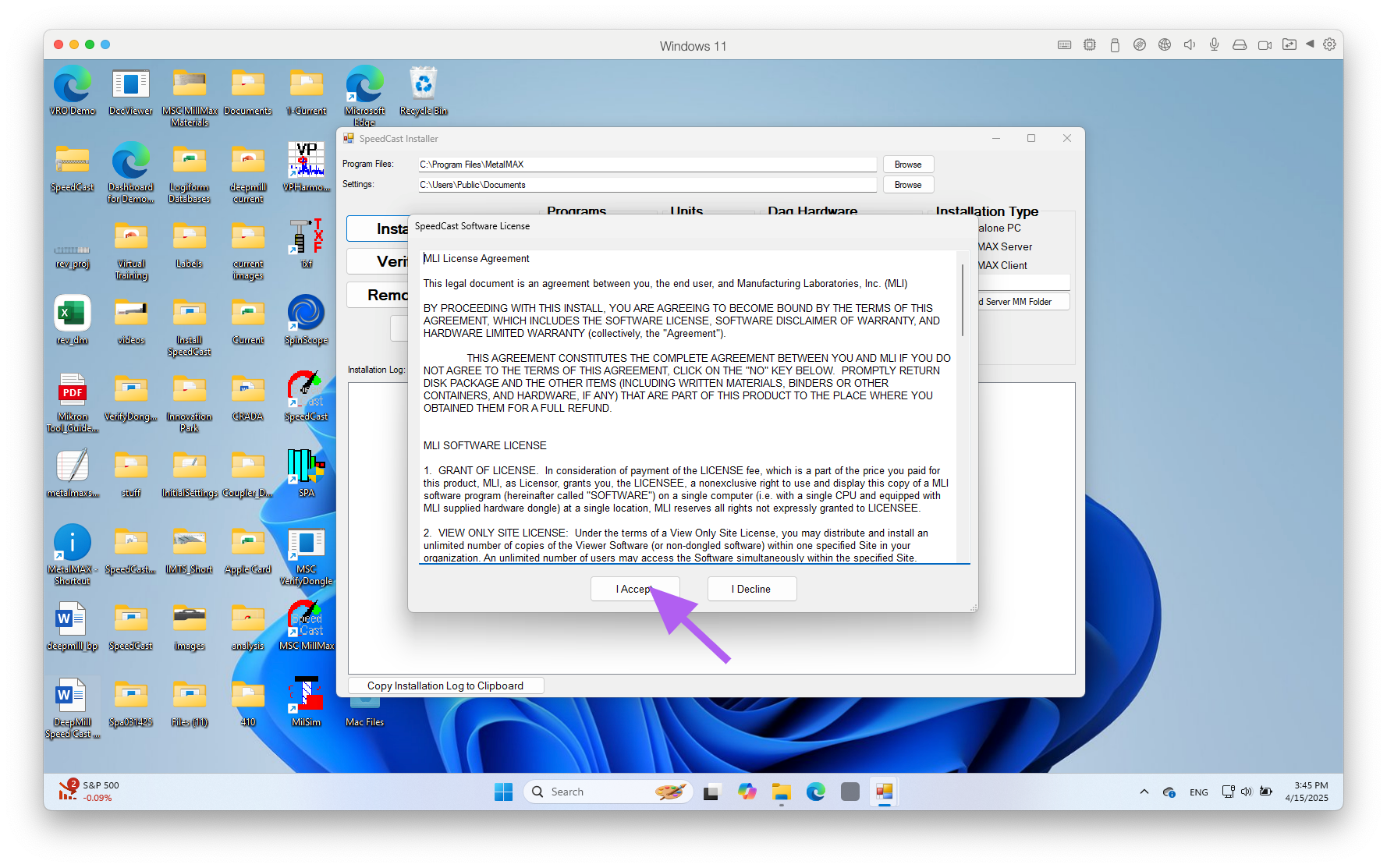
Click "I ACCEPT"
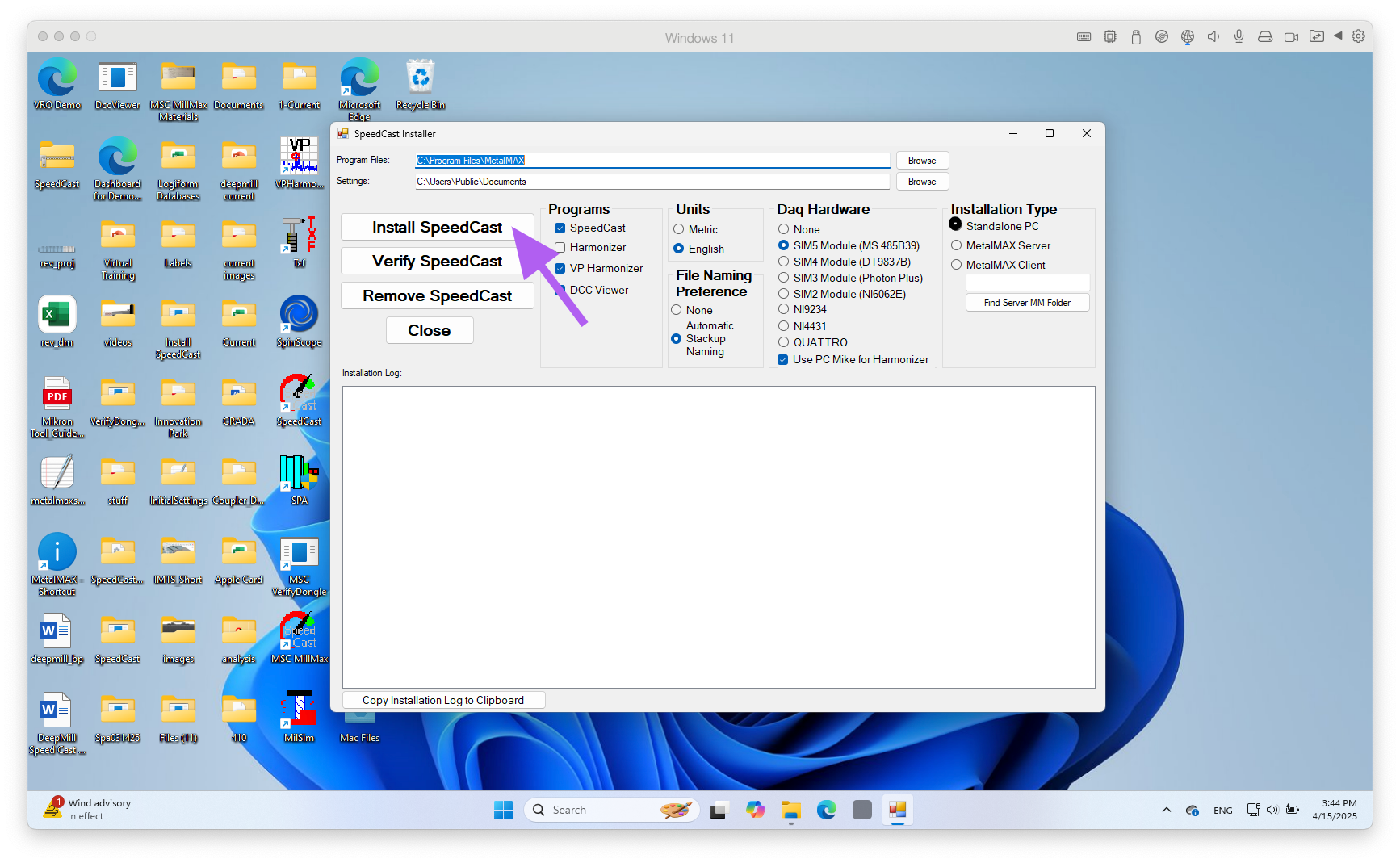
STEP 7: Click "Install SpeedCast" button.
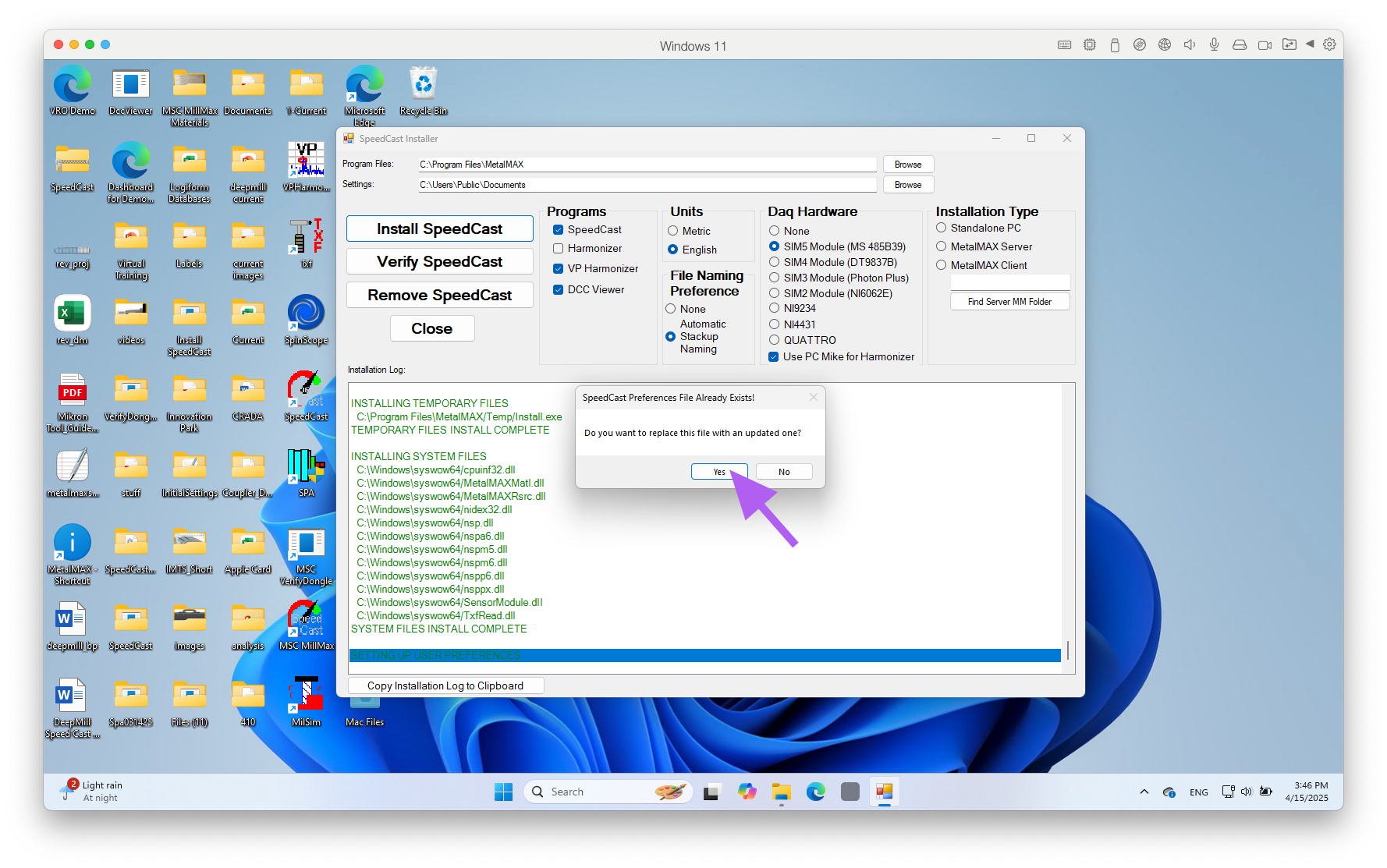
If you get any messages, click YES.
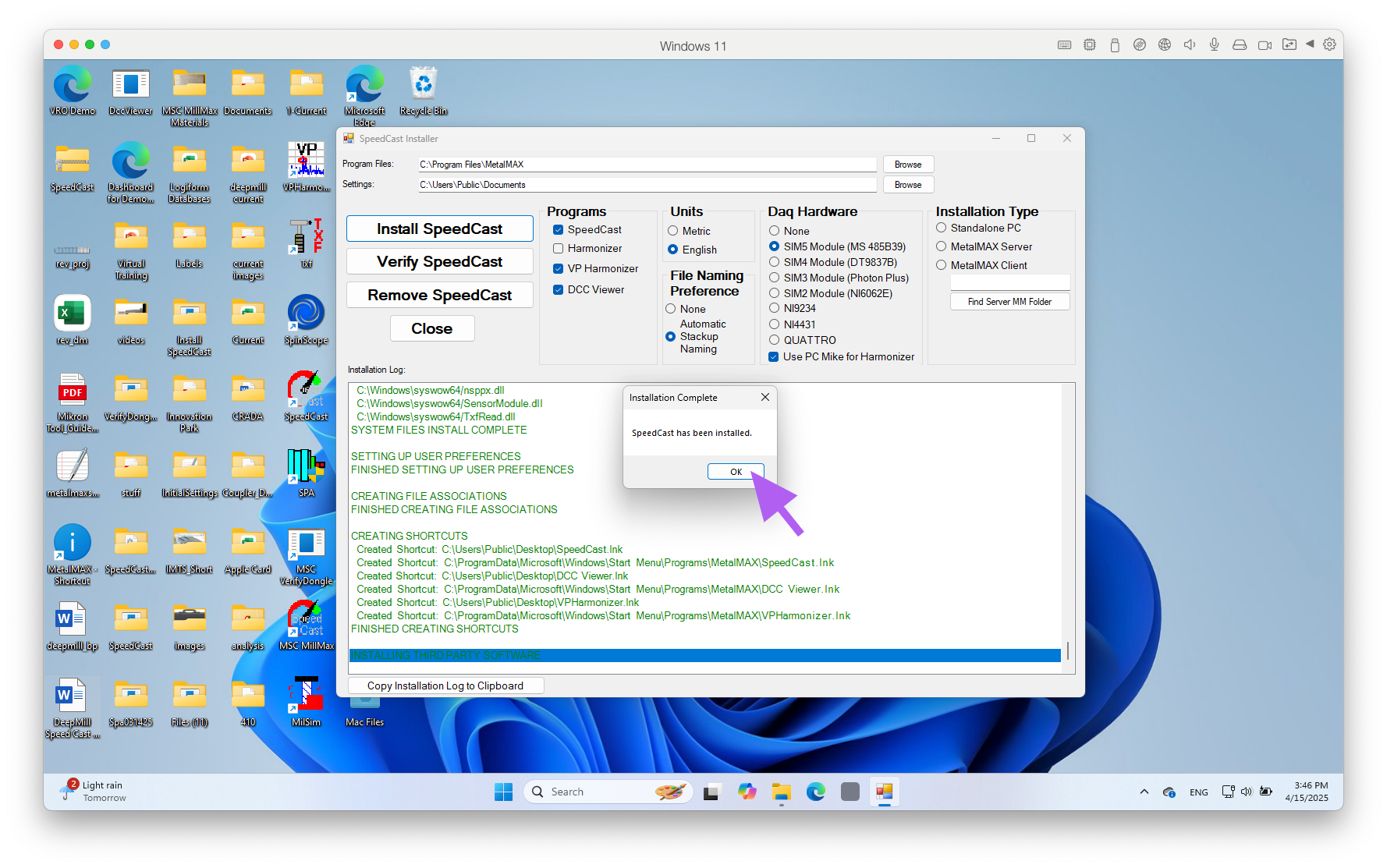
STEP 8: Wait for install to complete. Click "OK" button.
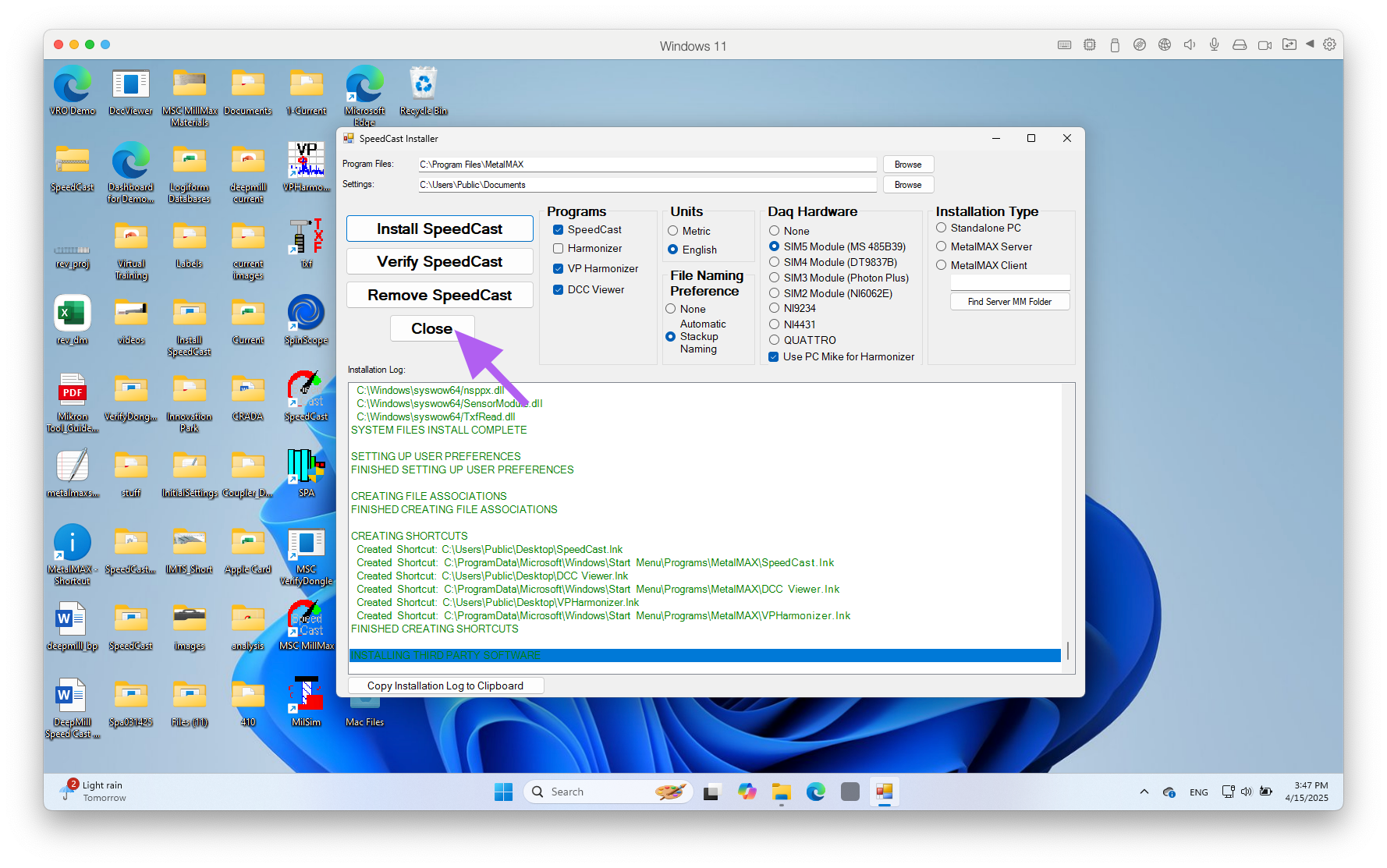
STEP 9: Click "Close" button. Delete the MillMax install zip file and folder from desktop.