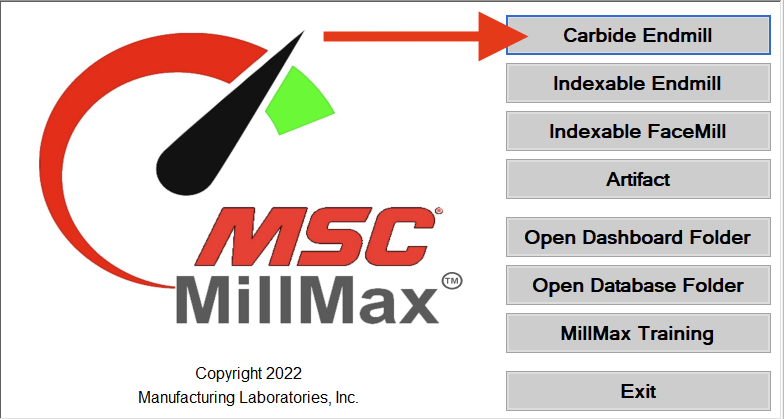
Open SpeedCast and choose Carbide Endmill
Click 2. Setup button.

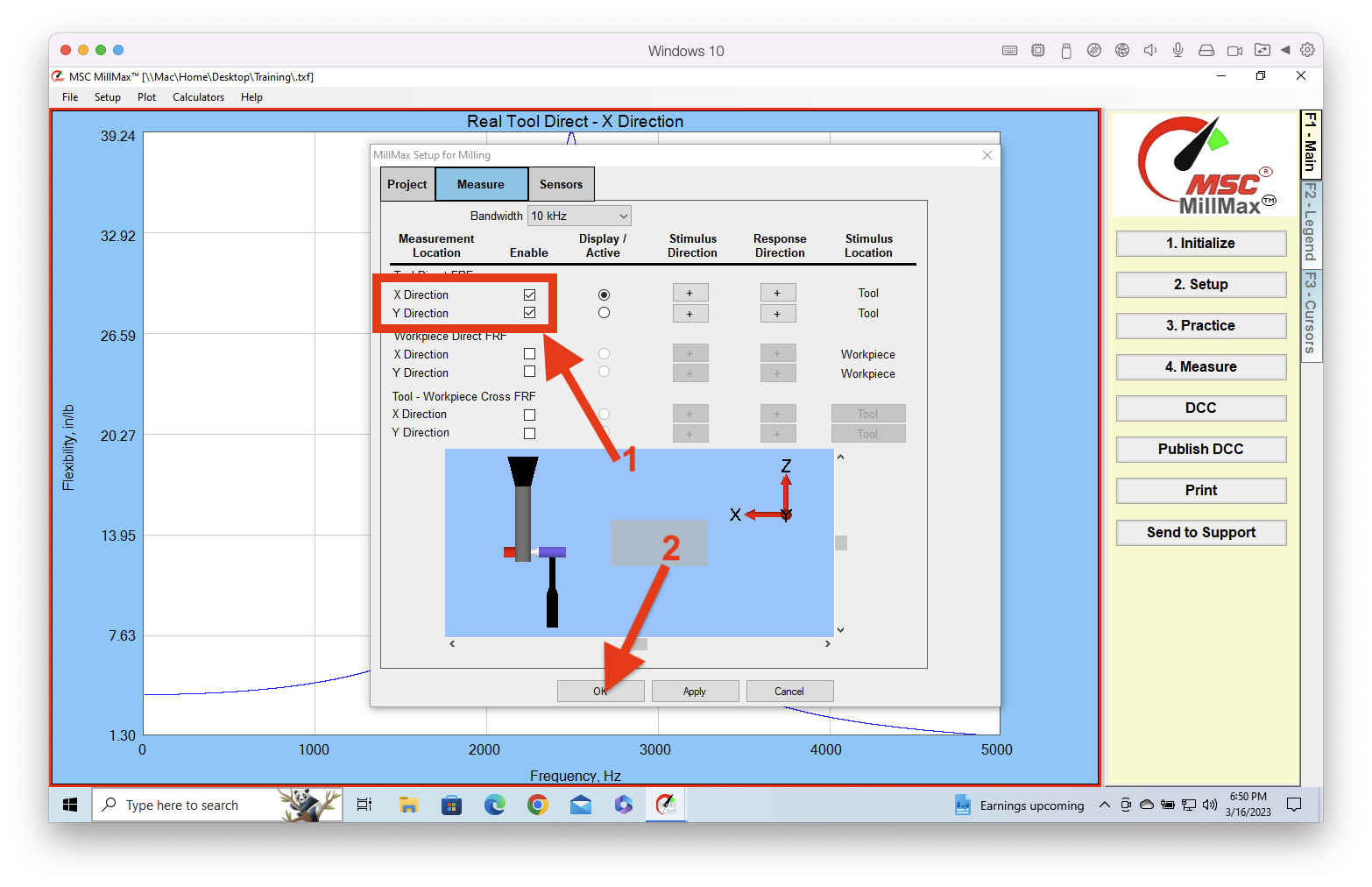
Click the Measure tab.

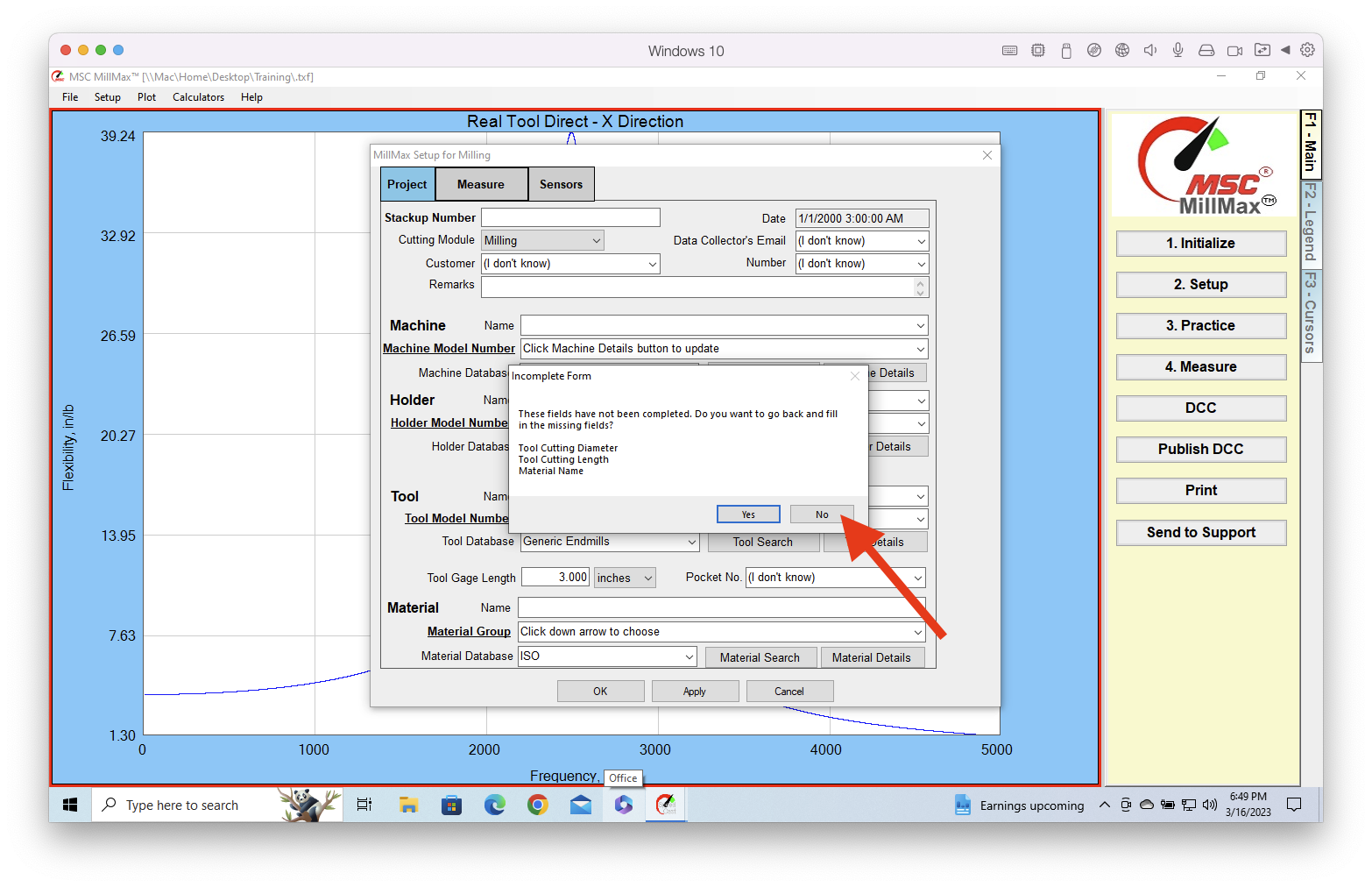
If you get this warning, click No.
Make sure both boxes under Enable are checked. This enables SpeedCast to measure in both the X and Y directions. If the Y is unchecked, SpeedCast will only take the X tap-test and save the file without asking for the Y measurement. When finished click OK to close the window and save the changes.